
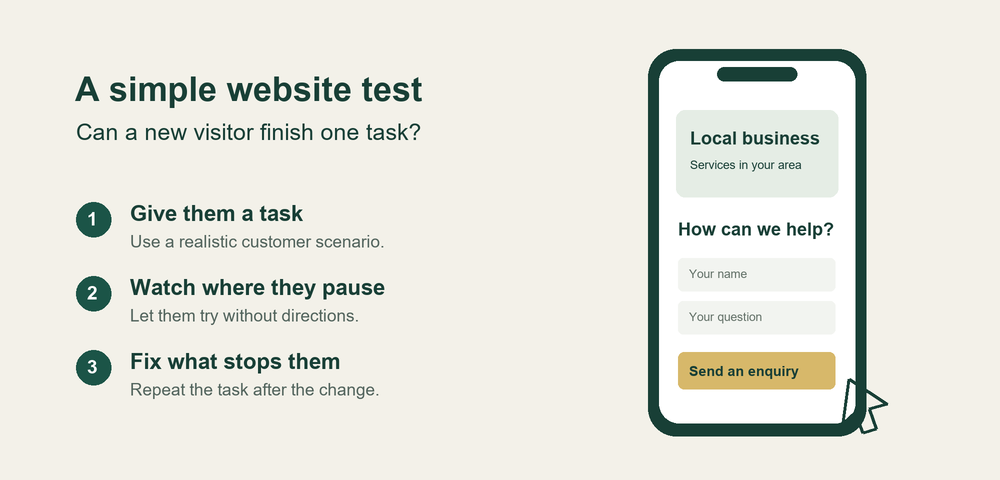
Before increasing your website promotion budget, ask someone unfamiliar with your business to try one useful task on their phone. Watch what happens. A visitor who cannot find your service area or send an enquiry has given you a specific problem to fix before you pay to bring more people to the same page.
This is a small observation exercise you can run yourself. It will not explain every lost sale, measure demand or establish why all visitors leave. It can reveal confusing wording, missing information and broken actions that are easy to overlook when you know your own website.
Choose a task that matters to your business
Start with the action you want a suitable customer to take. For a mobile dog groomer, that might be finding out whether a particular postcode is covered and requesting an appointment. For a builder, it could be checking the type of work offered and asking for a quotation. For a shop, it might be checking collection arrangements before ordering.
Write a short scenario in everyday language. For example: “You need your dog groomed next month. Find out whether this business serves your area and show me how you would enquire.” Avoid naming the menu or button they should use. That would tell them the answer you are trying to test.
Start on the page your promotion actually links to. A visitor arriving from a social post may never see the homepage. Give the tester a realistic starting point, including any cookie banner or pop-up a new visitor would encounter.
Watch without giving directions
Ask someone who could plausibly need the service and has not helped build the website. A colleague who knows every page is likely to fill in gaps without noticing. One session can reveal a fault; trying the same task with a few different people can help you see whether confusion repeats.
You can copy this invitation: “Could you spare five minutes to try one task on my website using your phone? Please say what you are looking for and anything that seems unclear. I am checking the website, so you cannot get this wrong. I will avoid giving directions while you try it.”
Let them use their own phone if practical. Before they begin, agree that they will stop before any payment, real booking or message submission unless you have arranged a controlled test. Ask permission before recording; brief written notes may be all you need.
Resist explaining where to tap. Note the words they use, where they pause, anything they misinterpret and whether they can finish without help. If they stop, ask what they expected to happen. “What are you looking for now?” is more useful than “Did you notice the green button?”
Turn observations into specific repairs
Record each problem alongside the page, the task and the consequence. “Could not find whether Bristol is covered” gives you something concrete to change. “Make it more professional” leaves too much open to interpretation.
First repair failures that prevent the action altogether: a button leading to an error, text covering a form field or an enquiry that never reaches the right inbox. Test the complete route yourself with an agreed test message. A success notice on the website does not by itself prove delivery.
Then address missing information. Explain what you offer, where you work, how pricing or quotations operate, and what happens after someone contacts you. If a visitor is sending a booking request, make that distinction clear; do not make it look like a confirmed appointment when you still need to approve it.
Make the main next step easy to recognise. “Request a grooming appointment” tells the visitor more than “Discover more”. Keep the language consistent between the page, button and destination. Check that enlarged text remains readable and that menus and forms do not overlap on a narrow screen.
Keep a short repair list with an owner and a way to verify each change. For example: “Add the towns we cover beside the enquiry button; ask the next tester whether their address qualifies.” This makes the work easier to check than a broad instruction to redesign the homepage.
Repeat the task and check real enquiries
After making a change, ask someone new to try the same task. Returning testers may remember the route, so their second attempt can be misleading. Keep any unfinished problems on the list, even if the page looks better.
Alongside these observations, track valid enquiries or completed bookings where you can. Separate tests and spam from customer messages. With a small audience, a few extra enquiries do not establish that a design change caused an improvement; traffic sources, timing and the offer itself can also change.
GBM provides a free ten-question website check for owners who want a starting checklist. It works with any website platform and requires no account or email. You answer the questions yourself and receive a prioritised fix list. It is a guided self-assessment, not an automated audit or a guarantee of sales.
The useful next step is modest: choose one customer task, watch someone attempt it, and fix the clearest obstacle. Then check whether that obstacle has actually gone.
About the contributor
GBM (Grow Build Manage) provides small-business website tools and a paid website publishing service. GBM supplies the free checklist linked in this article. Contact: help@growbuildmanage.com.